Shopify · Store growth
7 Essential Setups for Your Shopify Store Before Running Facebook Ads
Quick answer
Before running Facebook ads to a Shopify store, check seven areas: checkout, customer reviews, analytics, WhatsApp communication, returns and exchanges, delivery estimates, and shoppable video. Start with a working mobile checkout and verified measurement. Add apps where they solve a specific customer need, then test the full purchase journey before sending paid traffic.
One of the best ways to grow your company and reach more people is to run Facebook ads. To make sure your Shopify store is optimized for conversions, there are a few essential measures you must follow before you start creating ads.
Consider it this way: You wouldn't throw a party without first making sure your home is tidy and inviting, would you? The same reasoning holds true for Facebook ads. When potential buyers click on your advertisements, you want to make sure they have a seamless and easy experience with your Shopify business.
We'll go over seven crucial setups in this blog article that you should focus on before starting your Facebook Ads campaign. You can improve your odds of turning ad clicks into paying clients by following these steps.
Still building the store? Start with Launching a D2C Brand in 30 Days, then use this guide to prepare for paid traffic.
01Integrate Quick Checkout Platforms
Nobody likes a drawn-out, difficult checkout procedure. When consumers are compelled to browse through numerous pages and complete countless forms, cart abandonment rates skyrocket.
Quick checkout platforms are superheroes in this situation. By reducing the amount of steps needed to finish a purchase, these products expedite the checkout process.
Popular rapid checkout systems for Shopify stores include the following:
Shiprocket: Shiprocket offers a lightning-fast checkout experience that makes the shopping experience simple and delightful with its address auto-fill capabilities, social logins, and a one-click checkout option.
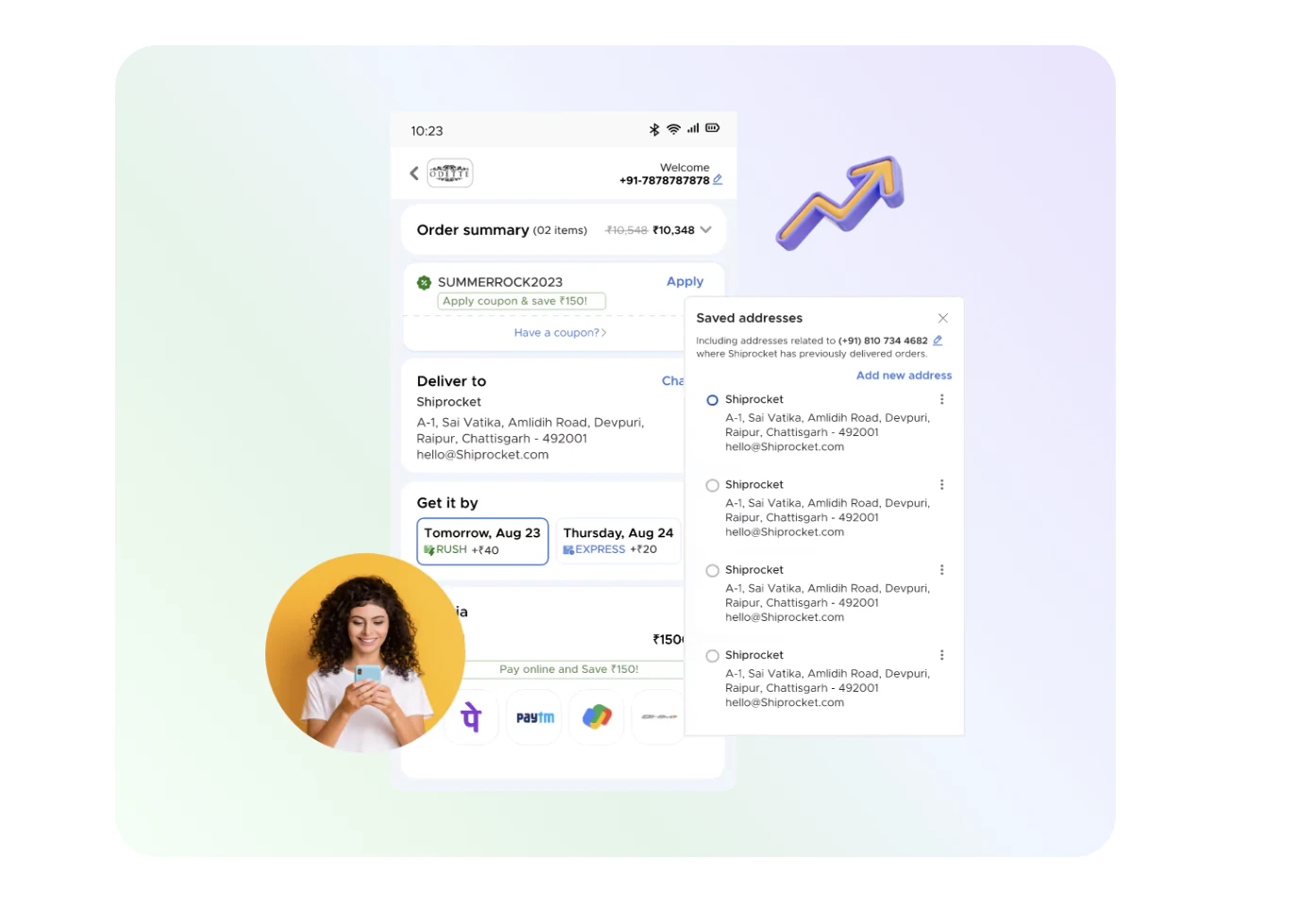
GoKwik: With features like guest checkout, saved addresses and different payment gateway connections, GoKwik provides a seamless checkout process.
Razorpay Magic Checkout: It is a platform designed specifically for India that offers a safe and practical one-click checkout option that supports widely used Indian wallets and payment methods.
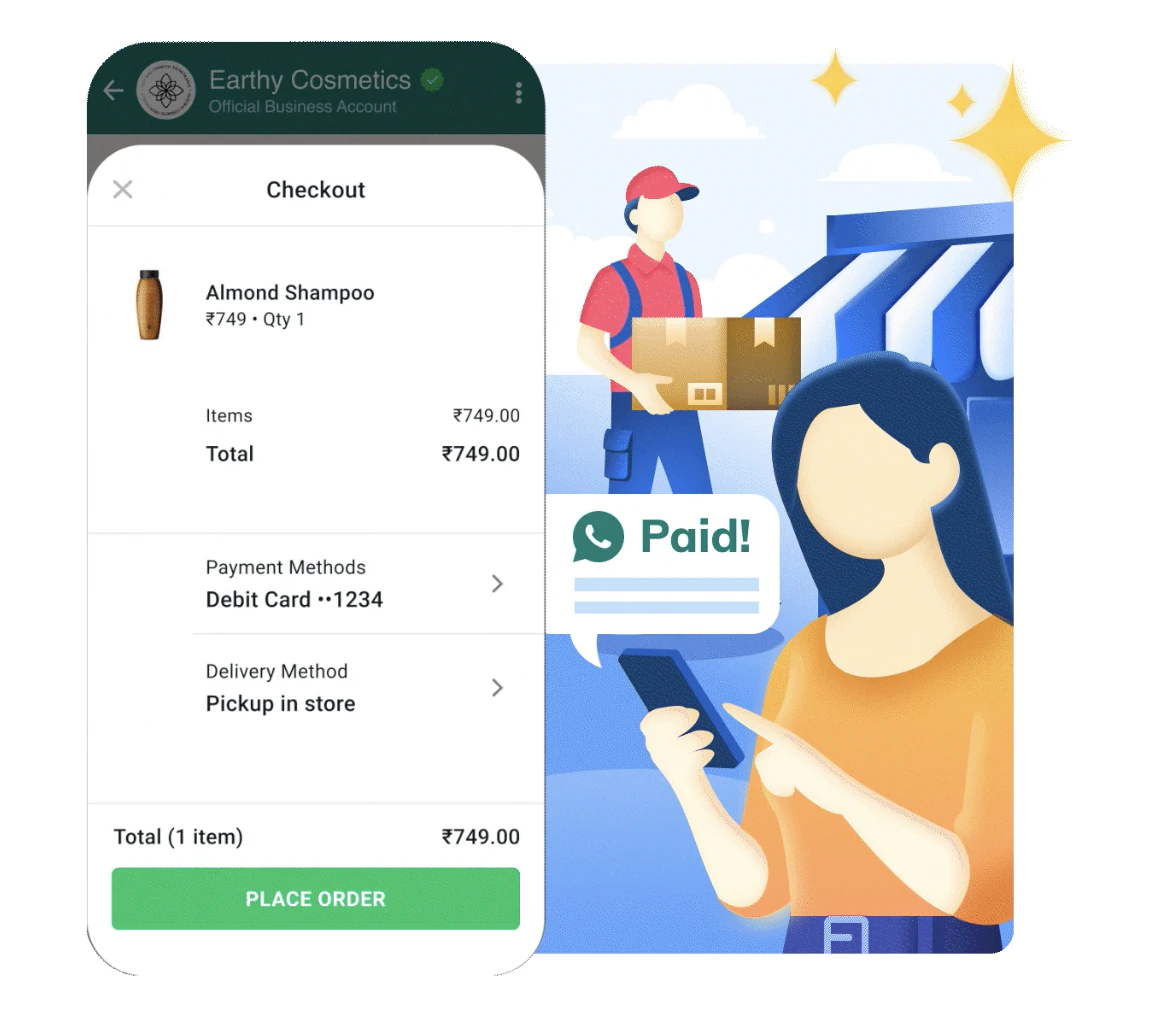
A simpler checkout can remove buying friction, but an app cannot guarantee higher conversion. Place a test order and check the full payment, address and shipping flow. Shopify explains how to place a test order.
02Install Review Collection Apps
An excellent approach to using social proof, a potent marketing technique, is through customer reviews. Positive evaluations increase the likelihood that a potential customer will convert by fostering trust.
Genuine customer reviews can help shoppers assess the product. Ask for honest feedback and show relevant reviews where customers need evidence, particularly on product pages.
Keep review claims accurate and attributable. Avoid publishing a universal conversion uplift: the effect depends on your product, audience, traffic and the quality of the feedback.
Apps for review collection are useful in this situation. After a consumer makes a purchase, these solutions automate the process of asking them for reviews.
Judge.me is a well-regarded app in this category. In addition to assisting you with gathering reviews, Judge.me strategically places them throughout your store to maximize their impact and visibility.
Other advantages of employing review collection apps include the following:
- Better SEO: Reviews contribute worthwhile content to your product pages, which may raise your SEO position because search engines like new content.
- Enhanced brand credibility: Getting good feedback helps you gain people's trust and position your company as a trustworthy supplier of high-quality goods.
- Improved customer interaction: Promoting evaluations among consumers creates a feeling of community and may yield insightful information about them.
Use the product-page scorecard in the free CRO toolkit to review where proof, product detail and buying information appear on the page.
03Set Up Analytics Tools
Data is king in the realm of e-commerce. You can learn a lot about user behaviour and how customers engage with your brand and items by including analytics tools into your Shopify store.
This information is crucial for Facebook Ads campaign optimization. Two important analytics tools to think about are as follows:
- Google Analytics: This robust and free tool gives you a thorough picture of user demographics, conversion rates, and store traffic.
- Microsoft Clarity: Use Microsoft Clarity to advance your analytics. This tool gives you a visual understanding of how customers explore your store by analyzing heatmaps and session recordings.
By combining these techniques, you can pinpoint areas where the layout, selection of products, and general user experience of your store need to be improved. For optimum effect, you may then utilize this data to improve your Facebook Ad targeting and messaging.
For Meta campaigns, connect and verify your Meta pixel in Shopify. Check that your setup records the intended events and avoids duplicate tracking before you rely on campaign reports.
04Integrate WhatsApp API for Customer Communication
WhatsApp is now a vital communications tool for companies all over the world. By incorporating a WhatsApp API into your Shopify store, you can take advantage of this potent platform to establish a more intimate connection with your clients.
You may use WhatsApp to improve your client experience in the following ways:
- Send reminders about cart abandonment: Use WhatsApp to politely remind clients who have abandoned their carts. To encourage customers to finish the purchase, you might even provide a special offer.
- Update the order status: Automated WhatsApp messages with order status updates, shipment information, and delivery schedules will help you keep your clients informed.
- Provide customer service: Because WhatsApp enables real-time communication, it's an excellent tool for responding to queries, resolving issues, and offering individualized assistance.
Consider the following well-liked tools for WhatsApp marketing:
- QuickReply: This easy-to-use platform has several features, such as live chat assistance, interactive menus, and automated message replies.
- Convertway: The Convertway is an expert in WhatsApp marketing automation that enables you to develop complex campaigns with dynamic content and customized messaging.
- Engati: You can handle all of your customer interactions on one platform with Engati's powerful WhatsApp integration and comprehensive omnichannel customer engagement platform.
05Install Return and Exchange Management Apps
Easy exchanges and refunds are important for building client loyalty. Making the return procedure simple and convenient shows that you care about your customers.
Explain return eligibility, timelines and the steps a customer needs to follow before they buy. Test the return request journey so the policy and the store experience agree.
The following well-known apps can help you expedite the return and exchange process:
EcoReturns: This app integrates with well-known shipping companies and provides an easy-to-use return gateway along with automated return requests.
Return Prime: With features like automated return labels, customizable return options, and interfaces with many shipping carriers, Return Prime offers a complete return management solution.
You can increase customer satisfaction, foster trust, and promote repeat business by putting in place a strong return and exchange policy.
06Add Estimated Delivery Date Apps
The secret to controlling client expectations and avoiding order cancellations is to set reasonable delivery expectations. By displaying precise delivery schedules on your product pages, estimated delivery date applications assist you in informing customers at every stage of the purchasing process.
Use delivery estimates that reflect your actual fulfilment and shipping arrangements. Show relevant conditions clearly so customers can judge whether an order will arrive when they need it.
Here are some popular choices:
Estimated Delivery Date - Plus: This program determines projected delivery dates by taking into account variables like order processing time, carrier options, and shipping location.
Delivery Date Picker: This app gives users greater flexibility and control by letting them select the delivery date of their choice.
You can increase client trust and enhance their whole purchase experience by giving them clear delivery information.
07Integrate Shoppable Reel Apps
By integrating shoppable reels, you can capitalize on this trend and provide a visually compelling, interactive shopping experience that can complement your Facebook ad strategy.
In the visually-oriented world of today, short-form videos are quite captivating. Customers can easily find and buy products featured in the videos thanks to shoppable reel apps, which let you make and publish shoppable Instagram-style reels straight on your Shopify store.
Here are a few well-liked choices:
ReelUp: This program lets you make and distribute shoppable reels, monitor their effectiveness, and examine user interaction.
Shoppable Reels: Using this program, you can quickly add shoppable tags to your reels, which will make it simple for viewers to buy the goods you've highlighted.
Use product videos where they help shoppers understand the item. Monitor their effect on mobile loading and the purchase journey, and judge their value using your own store data.
Summing it up...
You may increase the efficacy of your Facebook Ads campaigns and build a strong foundation for your Shopify business by putting these seven crucial configurations into practice. Keep in mind that a well-optimized store is essential for drawing in and converting clients, which eventually propels company expansion.
Before you send paid traffic, compare your ad’s product, offer and message with the landing page. Use the ad-to-page match score to review that consistency, then test the checkout on a real phone.
Common questions
What should I set up on Shopify before running Facebook ads?
First check the product page, mobile checkout, payment and shipping settings, and purchase tracking. Then review customer proof, support, returns, delivery estimates and optional product videos. Complete a test order before launching a campaign.
Do I need an app for every setup in this guide?
No. Check what your theme, checkout and existing tools already provide. Add an app only when it solves a clear gap, and test its effect on page speed and the shopping journey.
How do I know whether my ad and landing page match?
Compare the product, offer, price, imagery and next step promised in the ad with what the landing page shows. Keep the promise consistent and verify the page on mobile before buying traffic.